
Info
Title: Lust Solitaire: Horny Cards
Genre: Casual, Strategy, Free To Play
Developer: Impulse Publishing
Publisher: Impulse Publishing, Passion Panda Publishing
Release Date: 24 Jul, 2026
https://store.steampowered.com/app/4467550/Lust_Solitaire_Horny_Cards/
18+
Lust Solitaire: Horny Cards Overview
Play the world’s favorite card game and unlock stunning 18+ content. Complete levels, collect gorgeous girl cards, reveal intimate photo sets, and enjoy steamy animated scenes. It’s the perfect mix of strategy and pleasure. Train your brain and indulge your desires !

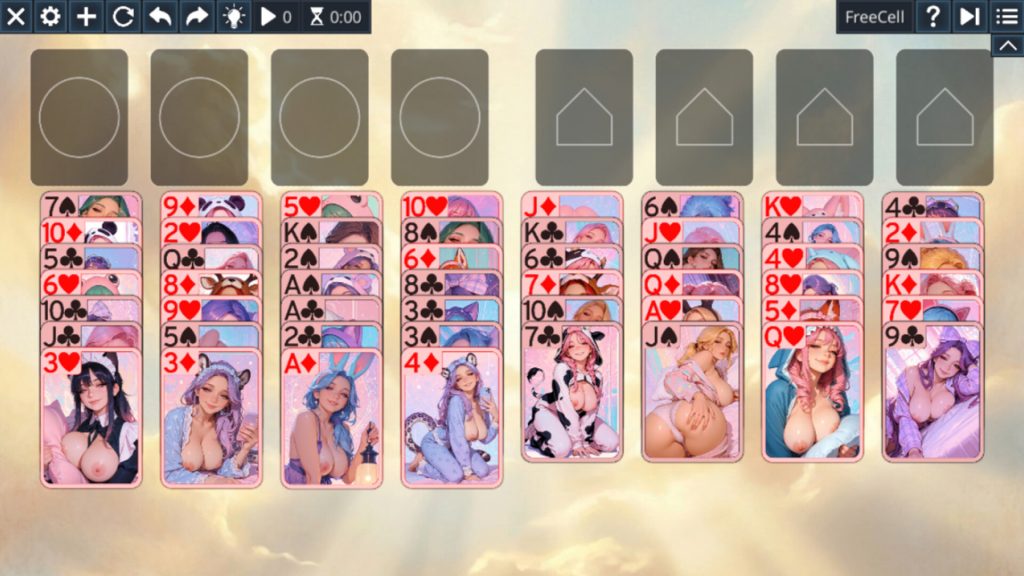
Key Features:
- Classic Solitaire Gameplay — True to the original, endlessly addictive
- 18+ Adult Content — Unlock gorgeous girl cards, intimate photos, and steamy scenes
- Left-Hand Mode — Play comfortably, your way
- 3-Card Draw — For an extra layer of challenge
- Daily Challenges — Fresh puzzles every day
- Unlimited Hints & Undo — Never get stuck
- Joker Power-Up — Your secret weapon for tricky moves
- Collectible Card Gallery — Build your personal adult collection
- Customizable Looks — Choose from beautiful backgrounds, card faces, and backs (animals, scenery, and more!)
- Dynamic Animations — Brings the game to life with every move
System Requirements
- OS: Windows 10 and Windows 11
- Processor: x86, x64 architecture with SSE2 instruction set support
- Memory: 8 GB RAM
- Graphics: DirectX® 9 Compatible Graphics Card
- Network: Broadband Internet connection
- Storage: 2 GB available space
- Sound Card: DX10, DX11, DX12 capable
- Additional Notes: Internet required
How to Download
- Click the Download button below and you should be redirected to Link.
- Download The Game from the given link.
- When the game is downloaded Double click the game folder and run the Pre-Installed (Already installed) Game and play it.
- Have fun and play! Make sure to run the game as administrator and if you get any missing dll errors, look for a Redist or _CommonRedist folder and install all the programs in the folder.
DOWNLOAD HERE:
Win: DataVaults